AI clip maker
Standalone clips you can review, edit and export individually.
How it works ↗ AICutter
Make a recording more concise by shortening long stretches of silence. Clean mode reduces long pauses; review the final pacing in the editor.
You will need an account and your video. Processing will begin only after confirmation in the project wizard.
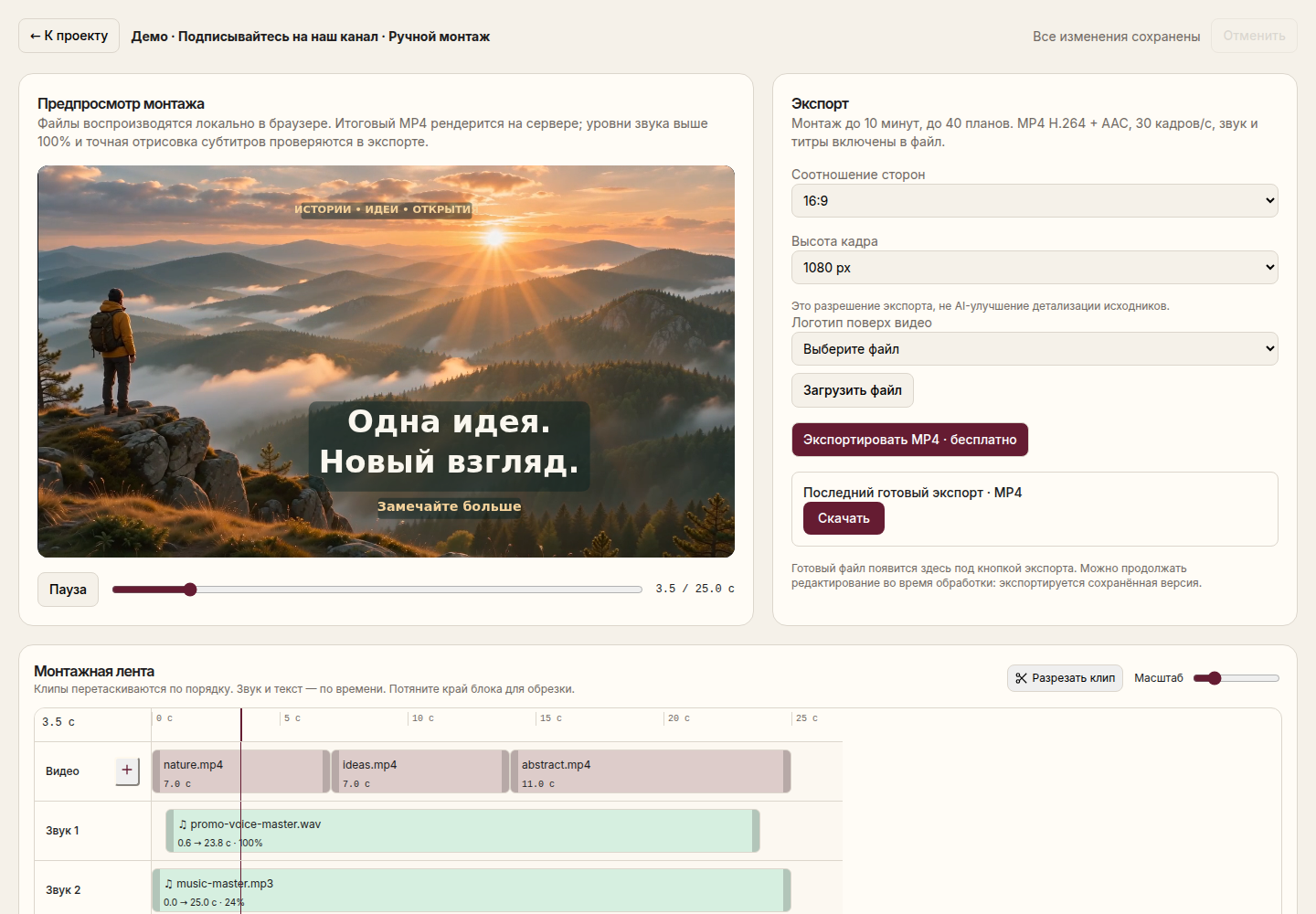
A tighter recording with every cut available for review and adjustment.
Select "Other Modes" → "Clear Recording". The mode is needed for pauses, not for creating a new story.
The service will prepare a recording and shorten the long gaps between speech. The source material remains in the project.
Check if the beginning of a quiet word, breathing, or intentional pause is missing. Adjust the borders manually if necessary.
After changing the duration, check the text synchronization and download the finished version file.
The gap before the conclusion is sometimes needed for the viewer to understand what has been said. Do not strive to remove all silence: leave natural breathing and semantic stops.
Reducing pauses does not select the best arguments and does not rewrite speech. To select content by task, use AI-video editing or clip search.
We do not promise the removal of all parasitic words, background noise, or automatic studio restoration. When recording with a quiet voice and noise, check the joints especially carefully.
This mode is designed for long pauses. Extra words can be removed with manual editing, but automatic removal of all parasitic words is not declared.
Yes. The project stores the source materials separately from the finished exports; editing does not replace the original video file.
You will need an account and your video. Processing will begin only after confirmation in the project wizard.
Standalone clips you can review, edit and export individually.
How it works ↗An MP4 with visible captions, or a separate SRT file containing the text and its timing.
How it works ↗A separate MP4 of the selected section, with your original project preserved.
How it works ↗ AiCutter
Opening AICutter
Your footage. Your rhythm. Your story.